What it does · shipments
Where is that set? In the system.
A spine case waits on a tray that is somewhere between the manufacturer and the hospital. FieldRep Ops tracks FedEx shipments using FedEx's own tracking API, ties each one to the delivery order and the rep, keeps every scan, and checks that the place FedEx delivered to is the place you asked for.
Enter the number, tie it to the case
A shipment is a tracking number, the manufacturer, the rep, and the delivery order it belongs to, or none if it is a loaner or a box with no order. The same number cannot be entered twice.
Tracked every hour, and on demand
The system asks FedEx's tracking API for every open shipment once an hour and keeps the full scan history: label created, in transit, out for delivery, delivered, or an exception, each with its place and time, plus the estimated delivery. Anyone can refresh one shipment, or every open shipment, on demand, and the new scans are on screen in seconds. Tracking stops once a shipment is delivered, or after thirty days with no activity.
Ship-to checked against the request
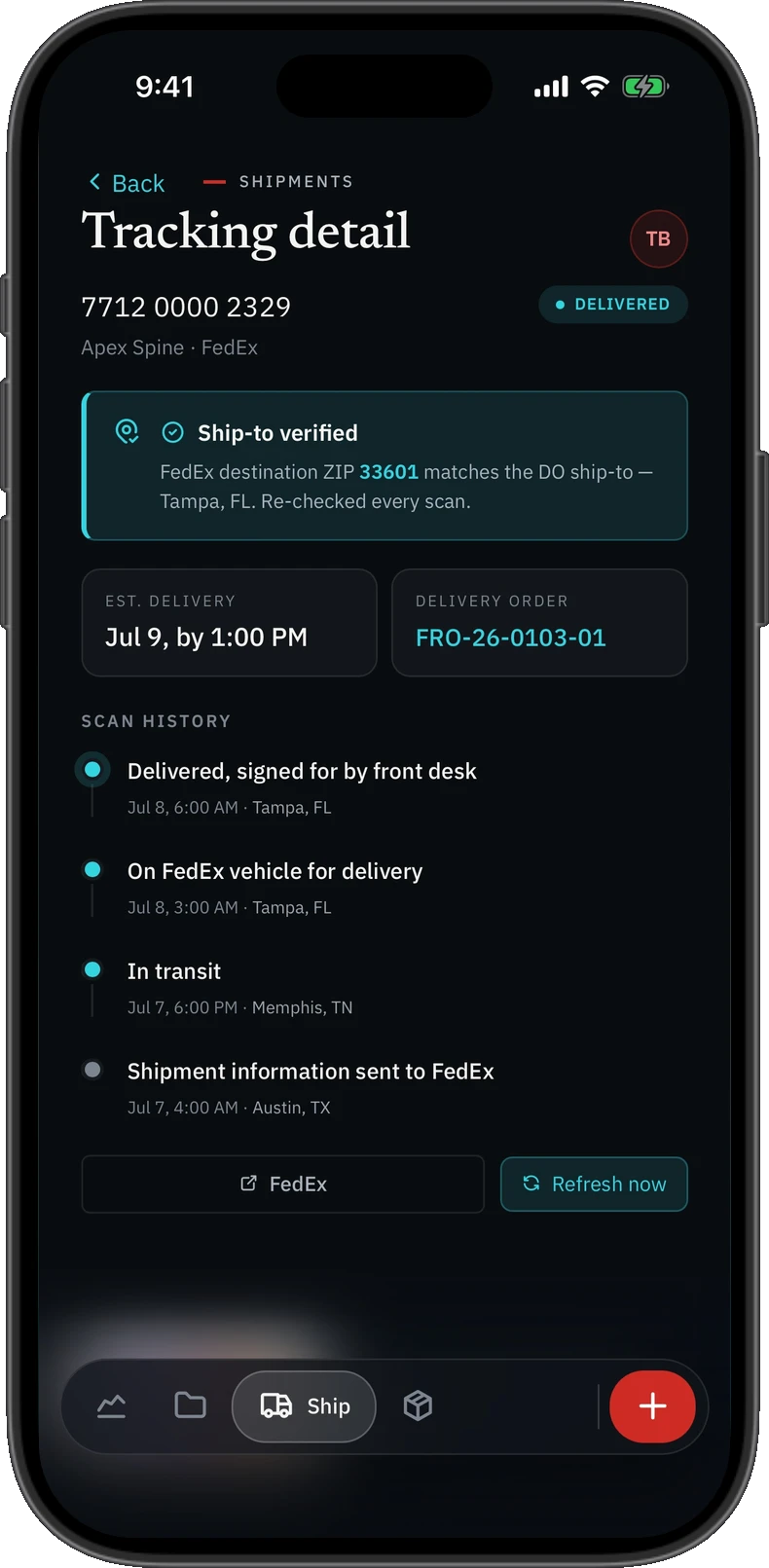
When the shipment is created, the ship-to from the delivery order is saved with it. The destination FedEx reports is compared with it on every scan. A match shows as verified; a mismatch shows a red banner with what you asked for and what FedEx says side by side, so a tray sent to the wrong rep is caught before it is due at SPD, not after.
A shipment's tracking detail, with the ship-to verified against FedEx's destination ZIP. Sample data.
Who sees what
A rep sees their own shipments. Leadership sees all of them and can assign a shipment to another rep.
Checked in against the order
Because the tracking number is tied to the delivery order, the box is checked in against what that order said was coming. Receiving opens a checklist of the order's restock lines, quantities already filled in as all arrived; anything short goes under Owed until it turns up. Nothing is counted in item by item, and the receipt links back to the shipment.
What it does not do
It does not create labels, quote rates or book pickups; the manufacturer ships, and FieldRep Ops tracks. FedEx only today. It does not email you when a status changes; the status is in the system.
Straight answers
How does FieldRep Ops track shipments?
You enter the FedEx tracking number and tie it to the delivery order. The system tracks it using FedEx's own tracking API once an hour and whenever anyone asks, keeps the scan history and the estimated delivery, and stops when it is delivered.
What is the ship-to check?
The ship-to from the delivery order is saved with the shipment and compared with the destination FedEx reports on every scan. A mismatch shows a red banner with both addresses side by side.
Can FieldRep Ops create shipping labels?
No. The manufacturer ships and FieldRep Ops tracks. It does not create labels, quote rates or book pickups.
Which carriers are supported?
FedEx today, through FedEx's own tracking API.
What it does, page by page
Each page describes one thing the system does for a spine distributorship, checked against the product as it runs today.
One signed record, for the whole spine distributorship
All of it keys off the delivery order signed at the case. From that one record come the send to procurement, the follow-ups, each rep's statement, the match against the manufacturer's statement, the tray check-in and the closed month. Nothing is retyped, so nothing drifts, and every total is reconciled back to the signed orders before every release and every week in production. It runs in a private environment that is your spine distributorship's alone; the security page says exactly what that means, in a form you can check.
Founding distributors
We are taking on a small number of founding spine distributors now, who use FieldRep Ops free while it proves itself on their books and know the price before they start. One private environment per distributorship; nothing shared with anyone.