What it does · trays and inventory
Every tray, where it is and who has it.
Spine trays are large, expensive and always moving: from the manufacturer to your storage, to a rep's truck, to a hospital's sterile processing department, and back. FieldRep Ops reads each label from a photo, new or already on the phone, and fills in the inventory fields with no typing, records every move, checks it in at the hospital with a printed sheet, flags what is missing the day it is missing, and tells the rep who holds a tray when it is coming due.
Receive by the label
When a box arrives the rep takes a photo of the manufacturer's label, or picks one already stored on the phone. The app reads the barcode and the printed text and fills in the inventory fields: the name, the tray or part number, the lot, the serial and the expiry. The rep confirms each with a tap. No copying, no pasting, no typing. The received items are checked against the delivery order's lines, and a short line is flagged with a request to the manufacturer for an arrival date. A tray keeps one record across every visit, keyed to the ID on its own label.
Where everything is
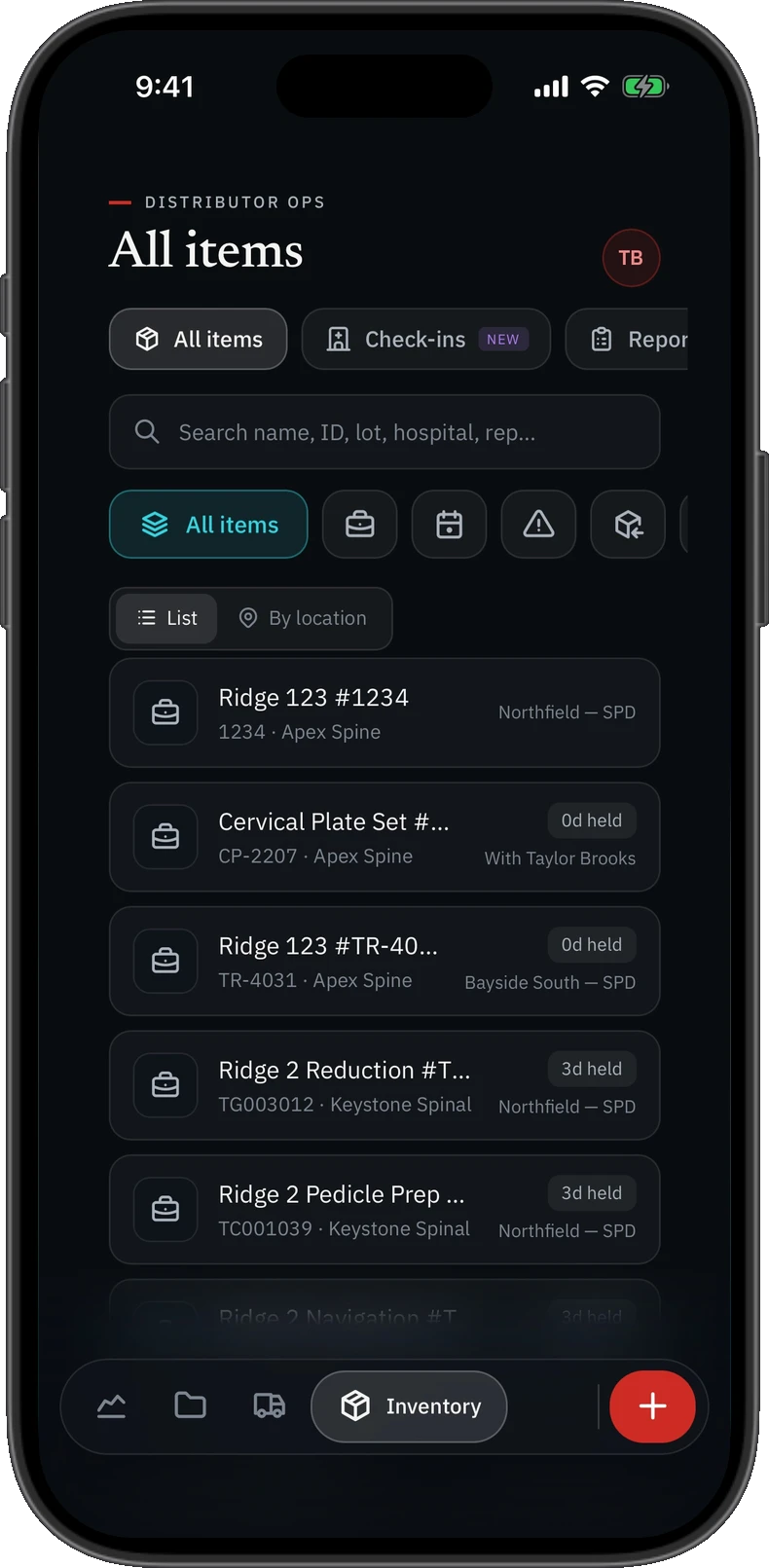
Each item is a tray, a part, a disposable or a biologic, with its lot, serial, reference and expiry. Its location is one of your storage, a hospital's storage, a hospital's sterile processing department, with a named rep, returned to the manufacturer, or transferred to another field rep. Every move is logged with who made it, and a search finds an item by name, ID, lot, hospital or rep.
All items, by list or by location. Sample data.
Checked in at the hospital
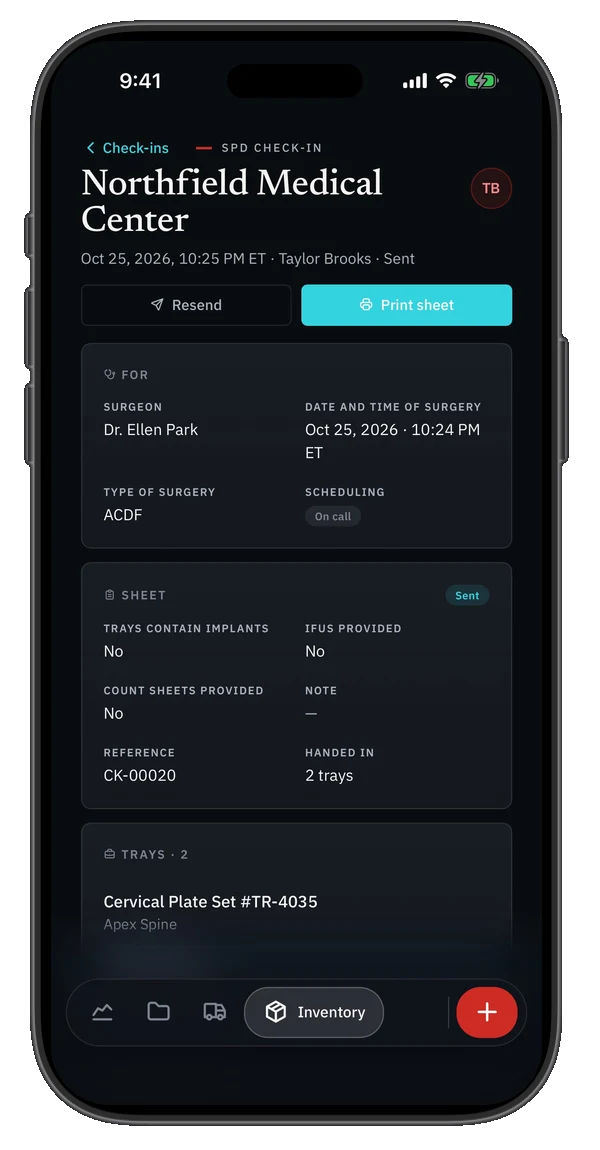
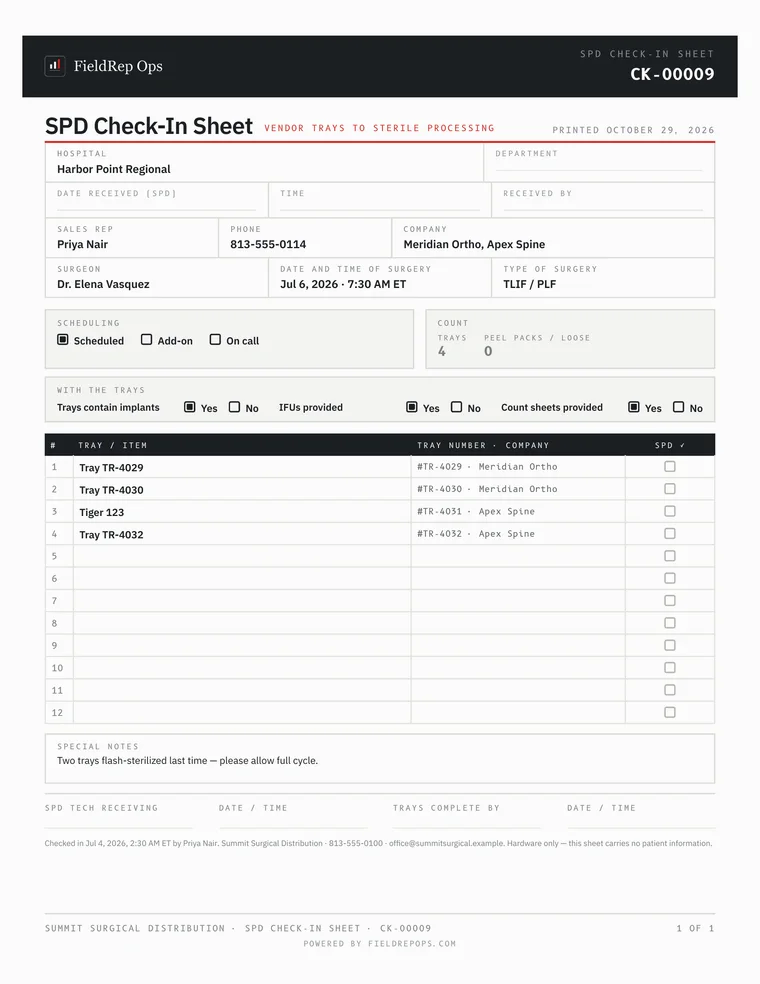
Dropping trays at sterile processing becomes a record: the surgeon, the date and time of surgery, the type of surgery, scheduled or add-on or on call, whether the trays contain implants, whether IFUs and count sheets were provided, and a note. The system prints the hospital's sheet filled in, emails the hand-off to the hospital, and keeps the check-in. Photos of the trays and count sheets can be added afterwards, tagged, with one rule on the screen: no case tags or patient stickers.
Every SPD check-in is kept as a record, so you can pull up the complete check-in, not just where each tray or item is now. Sample data.
Missing, found, written off
A whole tray, some parts or a single item can be flagged missing the day it is noticed, and resolved as found or written off. When a tray goes back to the manufacturer, a return report goes with it by secure link, so what you returned is on record against what you received. Transfers between field reps get the same report.
Trays coming due
Each morning the system emails leadership, and each rep holding one of the trays, a list of trays that are overdue or coming due. No trays due means no email.
What it does not do
It is not a warehouse system. There are no par levels or reorder points, no consignment billing, and no product catalog; it tracks the trays and items you actually hold, by their labels.
That is a choice. Orthopedic lines such as joints and trauma run on fine-grained inventory: hundreds of small parts, counted, reordered and billed off the shelf. Software built for those lines is better at that than FieldRep Ops, and we are not trying to catch it.
Spine is not fine-grained inventory. Spine is money: a handful of large cases a month, each one an order that bills five figures. What a spine rep needs from inventory is short: where every tray is, who has it, whether anything is missing, and when it is due back. FieldRep Ops does exactly that. It reads the lot, the serial and the expiry off the label so nobody types them, carries the lot and serial onto the delivery order line, and then stays out of the way, because a spine rep's time belongs to the case and the order.
Straight answers
How does a rep receive a tray in FieldRep Ops?
By taking a photo of the manufacturer's label, or picking one already stored on the phone. The app reads the barcode and the printed text and fills in the name, the tray or part number, the lot, the serial and the expiry; the rep confirms each with a tap, with no copying, pasting or typing. Received items are checked against the delivery order's lines.
Where can a tray be?
In your storage, a hospital's storage, a hospital's sterile processing department, with a named rep, returned to the manufacturer, or transferred to another field rep. Every move is logged.
What is an SPD check-in?
The record of dropping trays at a hospital's sterile processing department: surgeon, surgery date and time, type of surgery, whether the trays contain implants and whether IFUs and count sheets were provided. The system prints the hospital's sheet filled in and emails the hand-off.
What happens when parts are missing?
A tray, some parts or a single item is flagged missing and later resolved as found or written off. Returns to the manufacturer carry a report by secure link, so what you returned is on record.
Does FieldRep Ops track inventory down to the lot?
Yes, where it matters for spine. Each tray, part, disposable and biologic carries its lot, serial and expiry, read off the label, and each delivery order line carries the lot and serial of what was used. It does not count stock against par levels, reorder for you, or bill consignment off the shelf. Spine is a few large cases a month, not hundreds of small parts, and FieldRep Ops is built around the order that bills five figures.
What it does, page by page
Each page describes one thing the system does for a spine distributorship, checked against the product as it runs today.
One signed record, for the whole spine distributorship
All of it keys off the delivery order signed at the case. From that one record come the send to procurement, the follow-ups, each rep's statement, the match against the manufacturer's statement, the tray check-in and the closed month. Nothing is retyped, so nothing drifts, and every total is reconciled back to the signed orders before every release and every week in production. It runs in a private environment that is your spine distributorship's alone; the security page says exactly what that means, in a form you can check.
Founding distributors
We are taking on a small number of founding spine distributors now, who use FieldRep Ops free while it proves itself on their books and know the price before they start. One private environment per distributorship; nothing shared with anyone.